
Software Categories
Best Construction Categories
Best Facilities Management Categories
Best Human Resources Categories
Best Legal Management Categories
Best Manufacturing Categories
Best Medical Categories
Best Property Management Categories
Updated December 14, 2025
Crowdcast vs Restream: Which is best for you?
Talk to a human
Advice from pros
Custom shortlist of 3-5 vendors

55+ software advisors
1 million+ businesses helped
2 million+ verified software reviews


Starting Price
$49.00
per month
$19.00
per month
Free Trial
Free Version
Screenshots
and Demo
and Demo

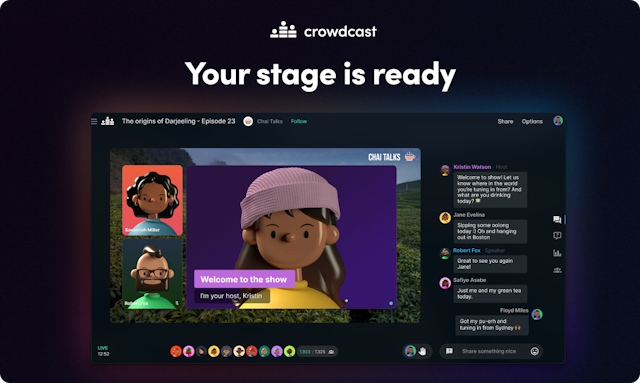
See all
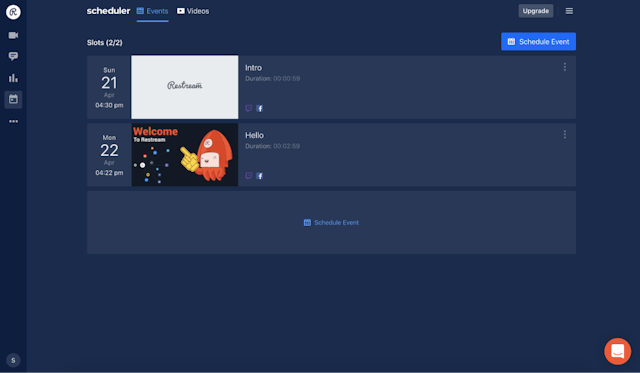
See all
Top Rated
Features
Features
Live Streaming Production
4.88
Real-time Broadcasting
4.88
Event Scheduling
4.75
See All
Content Management
4.71
Multistreaming
4.63
Session Recording
4.62
See All
Integrations


See All


See All
Pros / Cons
- I also use Zoom, Google Hangout, TEAMS, GoTo webinar etc. when my clients are organising sessions, but find that for webinars, Crowdcast is the best option.
- Sometimes new participants gets confused and struggle to understand the interface.
Read more
- Restream excels in simultaneous multi-platform streaming, user-friendly interface, unified chat management, performance analytics, and reliability, making it a top choice for content creators.
- Loved the platform when it worked. When it had glitches they could not fix they refused to refund half of my money when half the year had expired.
Read more
Ease-of-Use
4.6/ 5
4.6/ 5
Value for Money
Highest performing feature
in the comparison
4.5/ 5in the comparison
4.4/ 5
Customer Support
Highest performing feature
in the comparison
4.6/ 5in the comparison
4.4/ 5
Functionality
Highest performing feature
in the comparison
4.5/ 5in the comparison
4.4/ 5
Support Options
Email/Help Desk
FAQs/Forum
Knowledge Base
Phone Support
24/7 (Live Rep)
Chat
Email/Help Desk
FAQs/Forum
Knowledge Base
Phone Support
24/7 (Live Rep)
Chat
Training Options
In Person
Live Online
Webinars
Documentation
Videos
In Person
Live Online
Webinars
Documentation
Videos
FrontRunners
N/A
FrontRunners 2024
Advisor
Recommendations
Recommendations
N/A
N/A
Ideal Customer Size
Small
Medium
Large
Small
Medium
Large
Deployment Options
Cloud, SaaS, Web-Based
Desktop - Mac
Desktop - Windows
Desktop - Linux
Desktop - Chromebook
On-Premise - Windows
On-Premise - Linux
Mobile - Android
Mobile - iPhone
Mobile - iPad
Cloud, SaaS, Web-Based
Desktop - Mac
Desktop - Windows
Desktop - Linux
Desktop - Chromebook
On-Premise - Windows
On-Premise - Linux
Mobile - Android
Mobile - iPhone
Mobile - iPad


