
Best Construction Categories
Best Facilities Management Categories
Best Human Resources Categories
Best Legal Management Categories
Best Manufacturing Categories
Best Medical Categories
Best Property Management Categories
Get 1-on-1 advice in 15 minutes. It's free.

Josh P.

Software Advice lists all providers across its website—not just those that pay us—so that users can make informed purchase decisions. Users can talk to our advisors for free to receive software recommendations matching their needs. Software providers pay us for sponsored profiles to reach users interested in their products.
Software Advice carefully verified over 2 million reviews to bring you authentic software experiences from real users. Our human moderators verify that reviewers are real people and that reviews are authentic. They use leading tech to analyze text quality and to detect plagiarism and generative AI.
Researchers at Software Advice use a mix of verified reviews, independent research, and objective methodologies to bring you selection and ranking information you can trust. While we may earn a referral fee when you visit a provider through our links or talk to an advisor, this has no influence on our research or methodology.
RIB CostX vs JobTread: Which is best for you?



Pricing available upon request
per year
and Demo


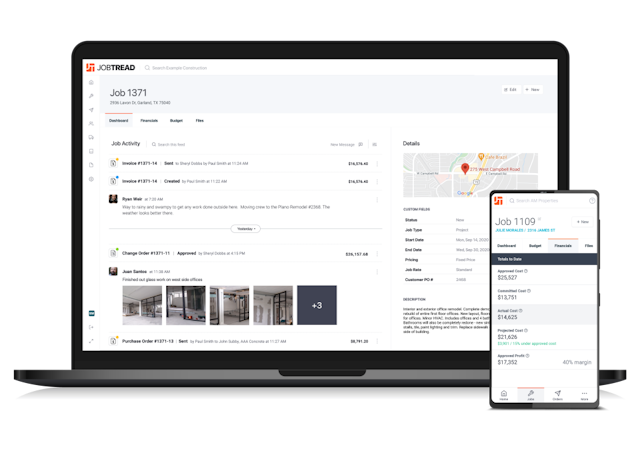
Features


- The workbook has lots of potential to produce very detailed rate breakdowns, I currently work in the Civil Earthworks field and had previously used the program for 20 years in building and construction, so I understand it
- We measure tenders for groups of builders, and now Global is being discontinued we are left in the situation where some builders in the group want CostX and some want Cubit (but few want Global), but the process of transferring first to Global then to Cubit is lengthy as the Global conversion has no headings, secondary quantities or Q coding transferred over (and the Q coding system is only compatible with two digit codes).
- My company since starting with Jobtread being able to estimate and build proposals and track our jobs has helped me to grow our company over 1600% in the last three years.
- For example when I update a cost item in the Catalog it doesn’t update the pricing/quantities/formulas/margins in cost groups so that means I have to go through each cost group again and change it manually over and over again.
in the comparison
in the comparison
in the comparison
in the comparison
Recommendations


