
Best Construction Categories
Best Facilities Management Categories
Best Human Resources Categories
Best Legal Management Categories
Best Manufacturing Categories
Best Medical Categories
Best Property Management Categories
Get 1-on-1 advice in 15 minutes. It's free.

Josh P.

Benefits of field service apps over manual methods: Which option is right for your business?
Many field service teams still rely on phone calls, spreadsheets, or paper forms to manage daily work. In fact, 36% of software buyers we speak with at Software Advice still use manual methods to run their operations. This leaves many SMBs weighing a key decision: continue with familiar processes or move to a dedicated field service management (FSM) system.
This article helps buyers understand what each approach offers, enabling them to choose the one that aligns with their business needs.
Common manual tools SMBs use
Small and midsize businesses often rely on basic tools to manage field tasks, using familiar methods that fit into existing routines even if they lack structure. According to advisor conversations with software buyers, these are the most common manual methods used by SMBs.
Spreadsheets: Many SMBs use spreadsheets to list jobs, organize weekly schedules, store customer details, or track inventory in a simple grid format. Teams often update these files as work progresses and share them through email or shared drives to keep everyone aligned on upcoming tasks.
Pen-and-paper-based approach: Teams using pen‑and‑paper methods typically rely on printed work orders, notebooks, or whiteboards to outline daily assignments. Field staff jot down job notes, parts used, or customer signatures by hand, while office staff maintain a physical board or folder system to track active and completed tasks.
Calls and texts: Calls and text messages are commonly used to dispatch technicians, confirm arrival times, or share quick job updates throughout the day. Supervisors often communicate changes directly with individual technicians, while field staff use messages to report progress or request additional information.
Limitations of manual methods
While manual approaches can work for smaller workloads, they create constraints that become more noticeable as service demands increase. Some of these limitations include:
Slow task execution: Many SMBs find that manual processes slow down routine work because tasks require repeated entry, back‑and‑forth communication, or physical tracking. This shows up in Software Advice conversations—52% of buyers say their current methods slow work or create inefficiencies. As service volume grows, these delays can make it harder for teams to respond quickly or keep schedules on track.
Limited functional capabilities: Manual tools offer only basic ways to record jobs or share updates, which limits what teams can accomplish as workflows become more complex. According to our advisor interactions, 23% of software buyers report that their existing approaches have limited functionality. This makes it difficult for SMBs to support tasks like real‑time technician tracking, automated scheduling, or centralized customer history without additional effort or workarounds.
Reduced visibility into performance and growth opportunities: When information sits across spreadsheets, notes, and messages, it becomes difficult for teams to identify trends or spot gaps in service delivery. This limits an SMB's ability to plan ahead or pursue new revenue streams. Our Software Advice interactions reflect this challenge: 13% of buyers say they are actively seeking new business opportunities, yet manual tools often offer little visibility into those opportunities.
Affordability concerns: For many SMBs, manual tools appear cost‑effective at first because they rely on existing resources such as spreadsheets, notes, and phone calls. However, these methods can become more expensive over time due to errors, repeated work, and missed revenue opportunities. In our advisor conversations, 6% of buyers specifically cite affordability as a pain point, indicating that hidden costs in current processes can strain budgets. As service needs grow, businesses often seek tools that reduce operational waste rather than add to it.
User-unfriendly processes: Manual workflows often rely on scattered steps and individual habits, making them difficult for teams to follow consistently. This can lead to errors, delays, and time-consuming rework. In our conversations with software buyers, 6% say user‑friendliness is a concern in their current setup. Without clearer guidance or centralized workflows, staff may struggle to keep tasks aligned as demand increases.
What dedicated FSM software offers
Dedicated field service management software provides digital tools that help organize daily operations and support consistent service delivery. These are the core capabilities most FSM systems offer.
Core features
Dispatch management: FSM software provides dispatch management features to help teams assign technicians based on availability, location, and skills. These tools create a clearer process for prioritizing jobs and reducing coordination delays. This helps office and field teams stay aligned throughout the day.
Scheduling: Scheduling features in FSM software help plan jobs, adjust workloads, and keep daily operations organized. Visual calendars and automated reminders make it easier to manage appointments as service demand increases. This supports more consistent task management across the team.
Work order management: Provides a structured way to create, assign, and track jobs from start to finish. Technicians receive clear instructions, service details, and customer information in one place. This reduces errors and ensures teams can access the information they need without having to search across multiple tools.
Benefits for SMBs
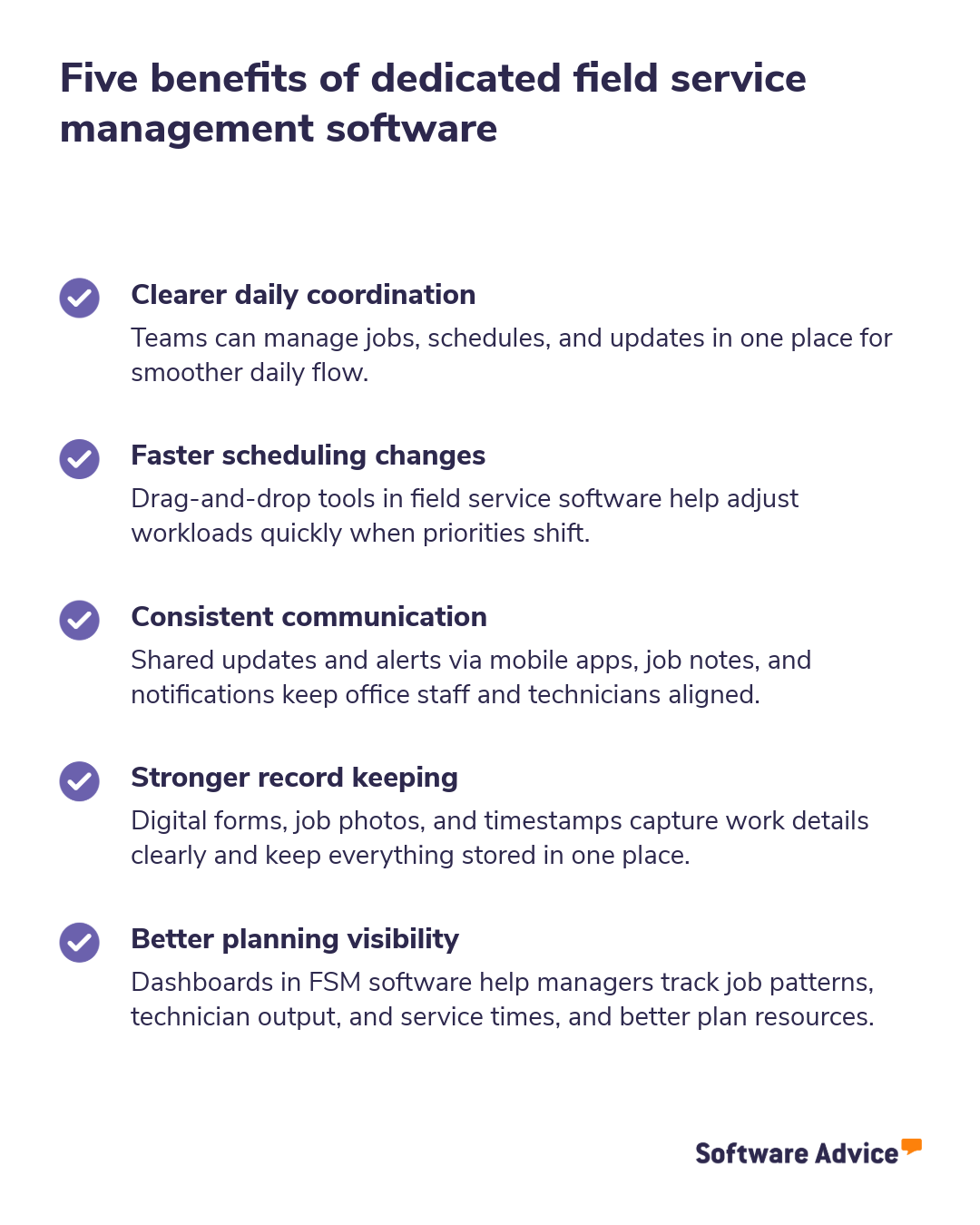
The graphic below highlights several ways field service management tools can support SMBs. These advantages focus on improving daily coordination, strengthening internal communication, and creating more reliable long‑term operations.
Here are some excerpts from field service management software users describing how it helps them:
“It offers a comprehensive set of tools that effectively streamline business processes and improve visibility across departments. While there’s an initial investment in training and setup, the long-term benefits of increased productivity and interdepartmental collaboration make it a valuable asset for mid-sized to large organizations.” (Capterra___6557060)
“It does everything I want for the company, including scheduling, forms, availability, job assignment and confirmation, there's the knowledge base, and so much more; it's just amazing!”- (Capterra___7053899)
“I’m able to manage subs, monitor progress and update homeowners in real time with live changes to the schedule all from the same platform.” (Capterra___6848555)
Manual vs FSM software: Side-by-side comparison
When evaluating manual processes against dedicated field service management (FSM) tools, it helps to look at how each approach handles scale, accuracy, customer coordination, and long‑term data needs. The comparison below highlights areas where the two differ in day‑to‑day operations.
Category | Manual methods | Field service software |
|---|---|---|
Scalability | Hard to scale beyond a small team; coordination depends on individuals and ad hoc updates. | Scales with volume using role‑based access, standardized workflows, and automation for assignments and updates. |
Route planning | Routes planned via maps/spreadsheets; limited ability to react to traffic, skills, or last‑minute changes. | Optimizes routes using technician location, skills, and job priority; supports real‑time adjustments. |
Customer communication | Calls and texts based, without a central log; details can be missed or duplicated. | Centralized notifications (SMS/email), appointment reminders, and a shared timeline of interactions. |
Compliance tracking | Paper forms or disparate files; audits require manual collection and verification. | Digital checklists, time stamps, photo capture, and audit trails to document work consistently. |
Data retention | Information spread across notebooks, sheets, and messages; retrieval is slow and error‑prone. | Central repository with searchable records, permissions, backups, and basic reporting for trends. |
Long‑term ROI considerations for SMBs
Small and midsize businesses (SMBs) often assess return on investment (ROI) beyond upfront costs when evaluating field service management software. The long‑term value typically comes from how well the system supports growth, stability, and predictable operations over several years. Below are key factors SMBs usually consider:
Cost predictability over time
FSM tools generally use subscription-based pricing, which helps SMBs forecast annual technology expenses more accurately than ad hoc manual processes that create variable administrative costs.
Better use of technician time
More structured workflows can reduce time spent on administrative activities, allowing technicians to complete more service jobs each day. Over time, this can lower the cost per job and improve overall resource allocation.
Fewer repeat visits and service corrections
Standardized job instructions, centralized histories, and consistent data entry reduce avoidable errors. This reduces repeat visits, lowering operating costs in the long run.
More consistent customer retention
Timely updates, clearer scheduling, and improved coordination contribute to a steadier customer experience. Higher retention typically reduces acquisition costs and helps stabilize revenue over time.
Long-term data value
Digital records accumulate over time and become a resource for analyzing demand patterns, job performance, and workforce needs. Manual methods rarely provide this level of long-term insight, which limits strategic planning.
Pro tip
Manual tools may look cost‑neutral upfront, but over time, they can create extra admin hours, rework, and missed appointments that add up.
Compare the true cost of your current workflow, time spent updating sheets, resolving errors, or tracking down information, before assuming that a dedicated software will be more expensive.
Which option makes sense for your SMB?
The right approach depends on your service volume, team size, and operational priorities, making it important to evaluate what each method delivers today and in the future.
Team size: If you’re a small crew, say, one to five technicians, with simple jobs and predictable days, manual tools can suffice for coordination. As headcount grows or roles diversify, maintaining consistency gets harder without shared visibility. FSM software helps standardize handoffs and reduce reliance on individual memory.
Job volume: Low daily job counts with few same‑day changes can be managed manually using calendars and group chats. If you’re handling many appointments, emergency calls, or frequent reshuffles, missed updates become likely. In such cases, FSM software can benefit by supporting rapid changes and keeping schedules aligned.
Growth plans: If growth is not a near‑term priority, your existing methods may be adequate to maintain current operations. If you plan to add services, expand territories, or upsell contracts, visibility and repeatable processes matter. FSM software helps track trends and resource needs as you scale.
Compliance requirements: Light documentation needs and informal checks can work manually with simple templates and disciplined filing. If you face audits, safety checklists, or proof‑of‑work questions, paper trails get risky. FSM software provides timestamps, photos, and logs to simplify verification.
Communication challenges: Teams that work closely together and handle straightforward jobs can often manage communication manually through calls or texts. But as more people, shifts, or subcontractors get involved, messages can slip or get duplicated. A dedicated FSM platform can help by centralizing updates so everyone sees the same information.
Budget flexibility: If cash is tight and your process is stable, sticking with manual tools can be pragmatic in the short term, provided you focus on clear templates and process discipline. If hidden costs (no‑shows, rework, admin hours) add up, investing in a dedicated FSM can offset waste and improve predictability.
In short,
You may continue using manual methods if your team is small, job volume is predictable, and documentation needs are light. Switch to a dedicated FSM software when your jobs shift often, your team is growing, or compliance and communication needs are expanding. You need clearer visibility, consistent records, and support for long‑term scaling.
Pro tip
Teams used to calls, texts, and paper may prefer gradual changes, while growing teams often reach a point where manual coordination becomes harder to maintain.
Assess how your staff currently communicates and completes tasks. This will tell you whether your process needs structure (FSM software) or simplicity (manual tools).
How to transition from manual to FSM software
Shifting from manual processes to FSM software is most effective when the transition is structured and gradual. The steps below outline how SMBs can prepare, move data, and guide teams through the change.
Preparation steps: A smooth transition starts with mapping your current workflows, how jobs are created, assigned, and completed. This helps identify which processes should stay, which need refinement, and which can be automated. It also gives teams clarity on what will change and why, making the shift less disruptive for daily operations.
Data migration tips: When moving from manual records to FSM software, start by organizing your existing data so it’s consistent and usable. Group information into simple categories, such as customers, job history, or asset details, and confirm what’s still relevant before importing anything. Migrating in small batches allows teams to review entries as they go, reducing errors and keeping daily work uninterrupted.
Training and adoption for small teams: For compact teams, short training sessions focused on daily tasks work better than long, one‑time overviews. Introducing features gradually allows everyone to get comfortable without disrupting work hours. Regular check‑ins during the first few weeks help answer questions early and build confidence with the new system.
Survey methodology
Findings are based on data from conversations that Software Advice’s advisor team has daily with software buyers seeking guidance on purchase decisions. The data used to create this report is based on interactions with small-to-midsize businesses seeking field service management tools. For this report, we analyzed approximately 3000+ phone interactions from January 1, 2025 to January 1, 2026.
Review excerpts selection: Review excerpts are passages extracted from longer reviews written by verified reviewers. We obtain these excerpts by applying an algorithm that considers factors including, but not limited to, length, sentiment, topic coverage, and thematic relevance. Excerpts represent user opinion and do not represent the views of, nor constitute, an endorsement by Capterra or its affiliates. Excerpts are not edited for clarity or grammar.