
Best Construction Categories
Best Facilities Management Categories
Best Human Resources Categories
Best Legal Management Categories
Best Manufacturing Categories
Best Medical Categories
Best Property Management Categories
Get 1-on-1 advice in 15 minutes. It's free.

Josh P.

Best Tools for Medical Records Management, Compared
If you’re a physician in the United States who’s yet to adopt an electronic health record (EHR) solution, then you’re in the minority. According to a HIT report, 86% of office-based physicians have already adopted EHR tools.
The high adoption rate of EHR solutions doesn’t come as a surprise as there are many benefits of using one. For instance, the tool helps with better clinical reporting, creating digital repositories of patient information, and tracking medical conditions and treatment progress more effectively.
However, high adoption has resulted in a higher number of EHR systems and vendors on the market. Selecting the right tool for your medical practice means you’ll have to compare hundreds of tools on factors such as features, cost, and deployment choice.
That’s the reason, we’ve put together this report of the top five EHR products featured in Software Advice FrontRunners (as accessed on Nov 13, 2019).
These solutions, listed alphabetically, have been rated highly by Software Advice users and can be the starting ground to begin your EHR software search.
The 5 EHR tools we’ll compare:
Greenway Health Prime Suite
Ease-of-use rating: 4.0/5
Value for money rating: 4.0/5
Customer support rating: 4.0/5
Functionality rating: 4.0/5
Read user reviews for Greenway
Greenway Health Prime Suite comes with an EHR module that offers features for medical practices to improve reporting and patient engagement. Charting, for example, is a dashboard that helps with quickly viewing patient records and understanding clinical history. Another feature is order entry, which allows practices to capture requests for laboratory tests and generate e-prescriptions.
Greenway Health Prime Suite’s features are suitable for growing and large medical practices. For instance, its analytics dashboard can be of significant help for the cited practices in understanding productivity and financial status at their different centers.
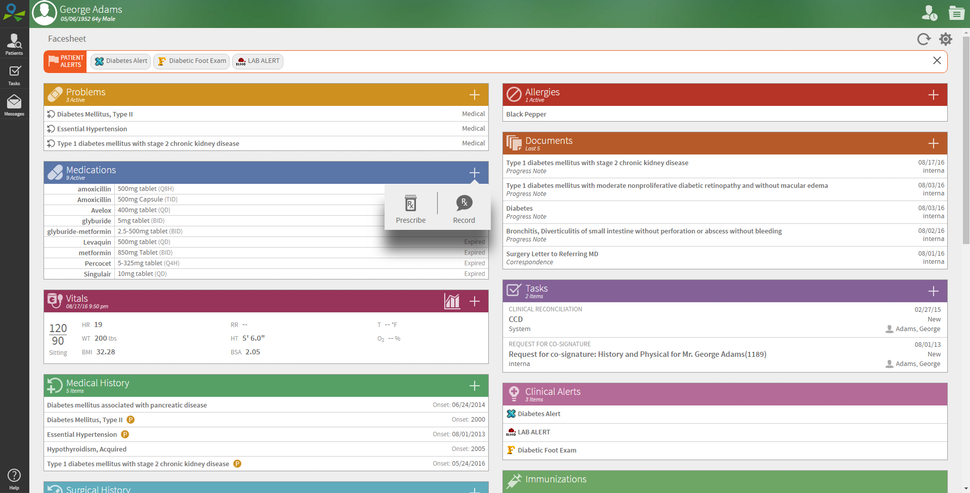
Patient records in Greenway Health Prime Suite (Source)
InSync
Ease-of-use rating: 4.5/5
Value for money rating: 4.5/5
Customer support rating: 4.5/5
Functionality rating: 4.5/5
Read user reviews for InSync
InSync is a healthcare solution that bundles two modules: medical record management (EMR/EHR) and practice management. The EHR module helps practices record and organize patient-related data, such as patient summary reports, notes regarding treatment plans/progress, and e-prescriptions. The practice management module allows medical firms to view patient schedules and financial reports, such as general ledger balance, accounts payable, and accounts receivable.
InSync’s vendor offers services for submitting claims on a practice’s behalf and medical transcription via a virtual scribe. This makes it suitable for medical practices that want to outsource these business functions.
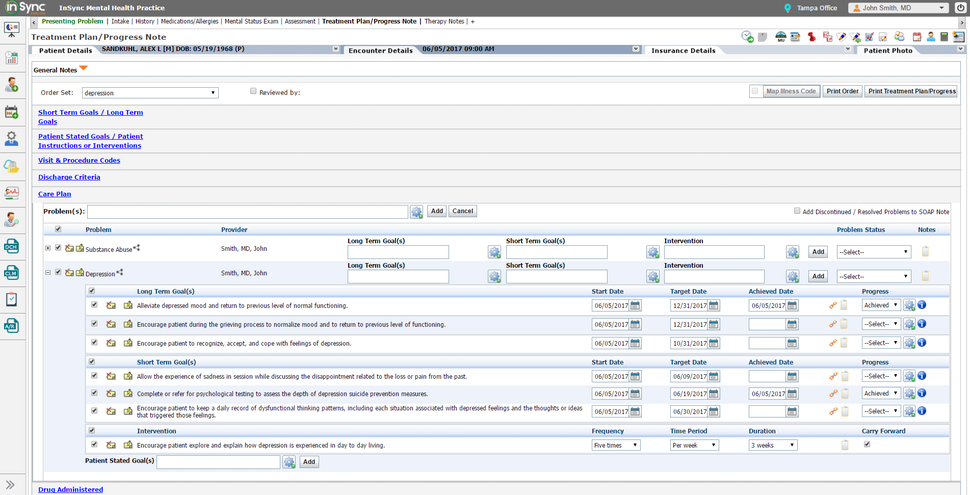
Patient notes in InSync (Source)
iPatientCare
Ease-of-use rating: 4.5/5
Value for money rating: 4.5/5
Customer support rating: 4.5/5
Functionality rating: 4.0/5
Read user reviews for iPatientCare
iPatientCare offers EHR and practice management modules that help medical practices create patient schedules, generate e-prescriptions, process claims, and manage accounts payable and receivable. Additional capabilities include native iOS apps and an analytics dashboard for understanding patient engagement.
iPatientCare is suitable for growing and large medical practices for whom interoperability—that is, the need to exchange data with third-party EHR solutions, lab information systems, pharmacy systems, health information exchanges, and immunization registries—is a key requirement. Practices wanting to outsource medical billing and coding processes and get employees trained on healthcare best practices can also consider this option as the vendor offers consulting and revenue management services.
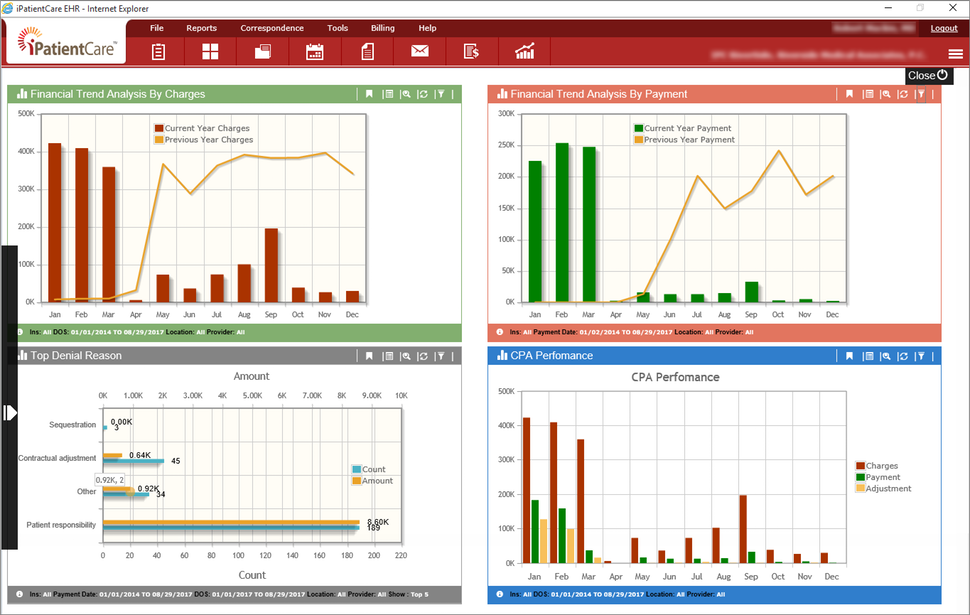
Analytics dashboard in iPatientCare (Source)
LiquidEHR
Ease-of-use rating: 4.5/5
Value for money rating: 5.0/5
Customer support rating: 4.5/5
Functionality rating: 4.5/5
Read user reviews for LiquidEHR
LiquidEHR is a medical records management solution that comes with features such as patient record repository, e-prescribing, document management, billing management, and reporting. The tool also offers a module for managing patient communications and a client portal for scheduling appointments.
LiquidEHR offers a simple pricing plan with monthly subscriptions suitable for small medical practices that want an affordable system for managing their daily operations.
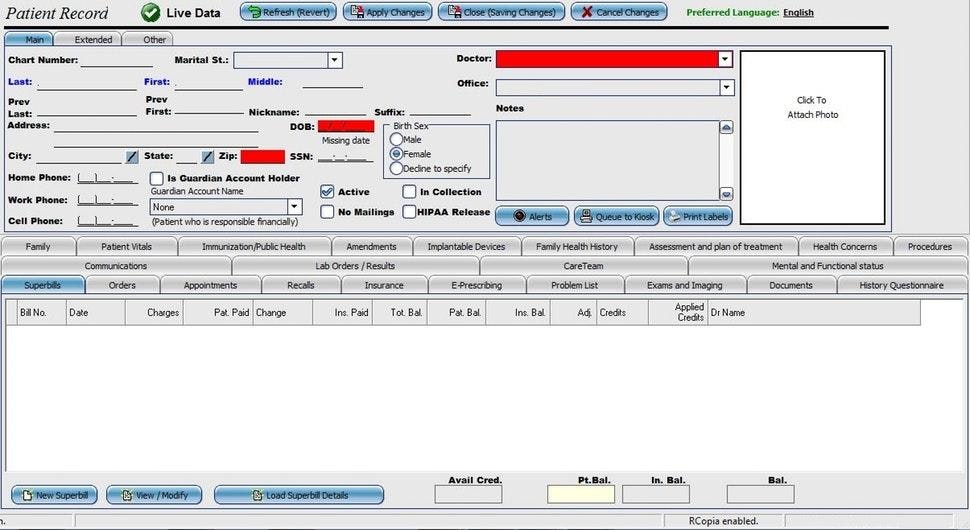
Managing patient records in LiquidEHR (Source)
Praxis
Ease-of-use rating: 5.0/5
Value for money rating: 5.0/5
Customer support rating: 5.0/5
Functionality rating: 5.0/5
Praxis is an EMR/EHR solution that offers features such as medical records management, charting, e-prescribing, and a patient portal. A key capability of the tool is its “concept processing” that helps in creating prescriptions, staff notes, patient instructions, and lab orders for identical or similar patient cases. Additional capabilities include a document management module and integration with billing solutions.
The strength of Praxis lies in automating the charting and documentation needs of medical practices. The solution can be the ideal tool for growing medical practices whose primary concern is quick documentation of patient information.
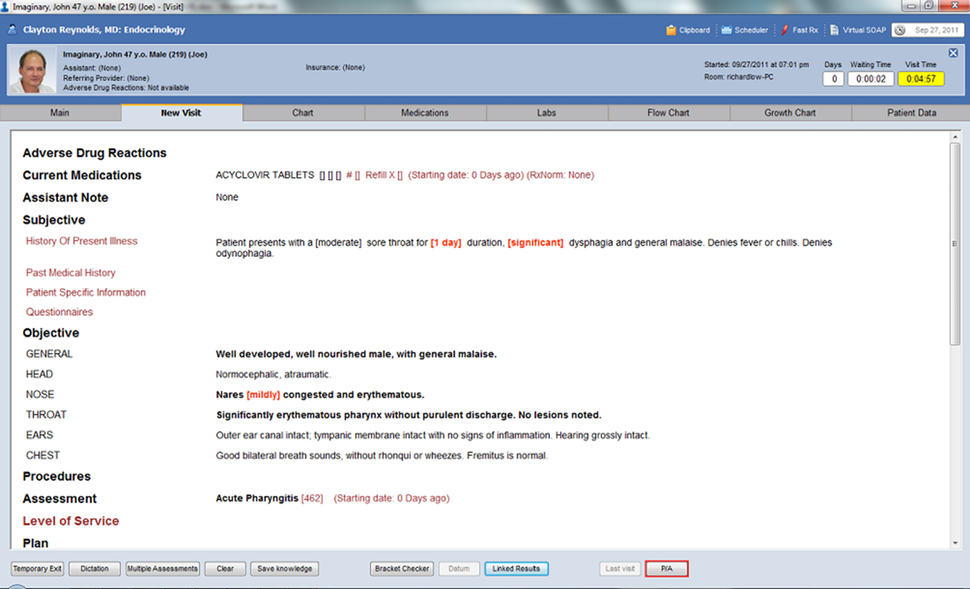
Patient record management in Praxis (Source)
Next Steps: Which EHR system should you use?
The intention of this report is to serve as a starting guide for medical practices looking to adopt an EMR/EHR system for the first time or replace their existing solution.
However, we recommend that medical practices do more research to ensure that they have made the right software choice. For instance, a small medical practice might be better off using an affordable EMR system. Conversely, growing organizations might need an interoperable EHR with functionalities such as direct messaging and big data analytics.
Medical practices can augment their software search by visiting Software Advice’s EMR software category page to compare more products.
Product selection methodology
Software Advice FrontRunners calculates score based on published user reviews for products on two primary dimensions: usability (on the x-axis) and user recommended (on the y-axis).
The usability score is a weighted average of two user ratings:
End-user ratings of one to five stars on the product’s functionality.
End-user ratings of one to five stars on the product’s ease of use.
The user recommended score is a weighted average of two user ratings:
End-user ratings of one to five stars on how valuable users consider the product to be relative to its price.
End-user ratings of one to five stars on how likely they are to recommend the product to others.
The user ratings used to score products are pulled from reviews posted on each of Gartner’s Digital Market properties: SoftwareAdvice.com, Capterra.com, and GetApp.com. For more information on FrontRunner methodology, please visit Software Advice FrontRunners page.