
Best Browser Software of 2026
Updated March 19, 2026 at 2:24 AM

Written by Baljeet Kaur
Senior Market Research Specialist

Edited by Carolyn Santa Maria
Senior Editor
- Popular Comparisons
- Buyers Guide
Compare Products
Showing 1 - 25 of 27 products
Compare Products
Sort by
Reviews: Sorts listings by the number of user reviews we have published, greatest to least.
Average Rating: Sorts listings by overall star rating based on user reviews, highest to lowest.
Alphabetically (A-Z): Sorts listings by product name from A to Z.

Google Chrome is a secure browser that is built for Google users by Google. Built on Chromium, Google Chrome provide users the p...Read more about Google Chrome


Google Chrome's Best Rated Features
See All
Google Chrome's Worst Rated Features
See All

Designed to supercharge personal/team productivity, Wavebox is a browser that manages and centralizes all daily web SaaS apps an...Read more about Wavebox
Wavebox's Best Rated Features
See All
Wavebox's Worst Rated Features
See All

Browse the web faster and block data-grabbing ads and trackers with Brave. Brave's secure web browser utilizes IPFS integration,...Read more about Brave
Brave's Best Rated Features
See All
Brave's Worst Rated Features
See All

With Polypane, developers get the perfect overview of their pages as they build them. Show a page in many different viewports, i...Read more about Polypane


Polypane's Best Rated Features
See All
Polypane's Worst Rated Features
See All

Built on Chromium, Vivaldi is a user-friendly browser designed to provide customizable browsing experiences. With built-in navig...Read more about Vivaldi Browser
Vivaldi Browser's Best Rated Features
See All
Vivaldi Browser's Worst Rated Features
See All

Focos is a centralized browser that keeps individual organization’s applications and data on one page. By curating everything in...Read more about Focos
GoLogin is a secure browser that offers top-notch data protection technology. Our browser fingerprint management engine successf...Read more about Gologin
Gologin's Best Rated Features
See All
Gologin's Worst Rated Features
See All

RemoteHQ's Remote Browse just made every meeting a whole lot more collaborative. Our Remote Browser is an ephemeral browser in t...Read more about RemoteHQ

Hidemyacc is an anti-detection browser that enables users to hide their original browser fingerprints while creating new and uni...Read more about Hidemyacc

Dolphin Anty stands at the forefront of anti-detect technology, offering an intuitively designed browser that prioritizes both f...Read more about Dolphin Anty

RoxyBrowser is a Chromium-based browser designed for businesses and professionals. It is suitable for tasks such as managing mul...Read more about RoxyBrowser

SRWare Iron is a Chromium-based secure web browser that simplifies browsing experiences. As an alternative to Chrome, Iron ensur...Read more about SRWare Iron

Logii is a multi-login browser that allows users to run multiple ad accounts at the same time securely. It has anti-detection ca...Read more about Logii Browser

Stack is a spatial browser that helps users stay focused and organized online. It features a design that aligns websites into ca...Read more about Stack

Chromium is an open-source browser designed to allow developers to build safer, faster, and more stable browsers. Chromium powe...Read more about Chromium
Chromium's Best Rated Features
See All
Chromium's Worst Rated Features
See All

Surfinite is an antidetect browser designed specifically for managing multiple accounts. With Surfinite, each profile is equippe...Read more about Surfinite

Tor Browser is a private browsing software designed to help teams and individuals ensure protection against digital surveillance...Read more about Tor Browser
Tor Browser's Best Rated Features
See All
Tor Browser's Worst Rated Features
See All

Secure online privacy and reduce trackers with Opera's secure web browser. Opera's free, unlimited VPN allows users to browse pr...Read more about Opera
Opera's Best Rated Features
See All
Opera's Worst Rated Features
See All

Avast Secure Browser is a secure web browser that brings a high level of privacy and protection to any browsing experience. With...Read more about Avast Secure Browser
Avast Secure Browser's Best Rated Features
See All
Avast Secure Browser's Worst Rated Features
See All

Safari is the default web browser for Apple devices. With fast loading speeds, improved power efficiency, and built-in privacy p...Read more about Safari
Safari's Best Rated Features
See All
Safari's Worst Rated Features
See All

Firefox is a secure browser that puts user privacy first. With built-in privacy controls such as cookie blocking, cryptomining b...Read more about Firefox
Firefox's Best Rated Features
See All
Firefox's Worst Rated Features
See All

Shift is the first fully customizable browser that empowers you to make the most of your life online. Shift allows you to drag...Read more about Shift


Shift's Best Rated Features
See All
Shift's Worst Rated Features
See All

Microsoft Edge is a browser built for Mircosoft users. Microsoft Edge makes browsing the web effortless by providing users contr...Read more about Microsoft Edge
Microsoft Edge's Best Rated Features
See All
Microsoft Edge's Worst Rated Features
See All

A safe internet browser for learning environments. Educators can enable their curious students to learn, discover, and explore ...Read more about AstroSafe
No reviews yet

ixBrowser is an anti-detection browser that is permanently free for users. Using fingerprint isolation technology, the fingerpri...Read more about ixBrowser
No reviews yet
Popular Comparisons


Buyers Guide
This detailed guide will help you find and buy the right browsers software for you and your business.
Last Updated on April 24, 2025Nowadays, the truth is that we cannot imagine our virtual lives without using a web browser. The supposedly “low-profile” web browser is one of the most important modern tools we use today. As it continues to be a vital part of our day-to-day, it's a good idea to take some time now to learn about the web browser, and find the one that works best for you and your business needs.
Here’s what we'll cover:
What is browser software?
In order to keep pace with the technological revolution occurring, every business is being pushed to use digital marketing in some way, shape, or form, and this can be as simple as constructing your business website or selling your products online. This is when the web browser comes into the picture.
The web browser (also known as an internet browser) is a software program that allows you to access the world wide web (WWW.) With this tool, you can browse any website and can smoothly navigate to other sites. You can search for the answer to a question, or shop at your favorite store online. These browsers support external plugins so you can interact with active content including audio, video, and Adobe Flash content.
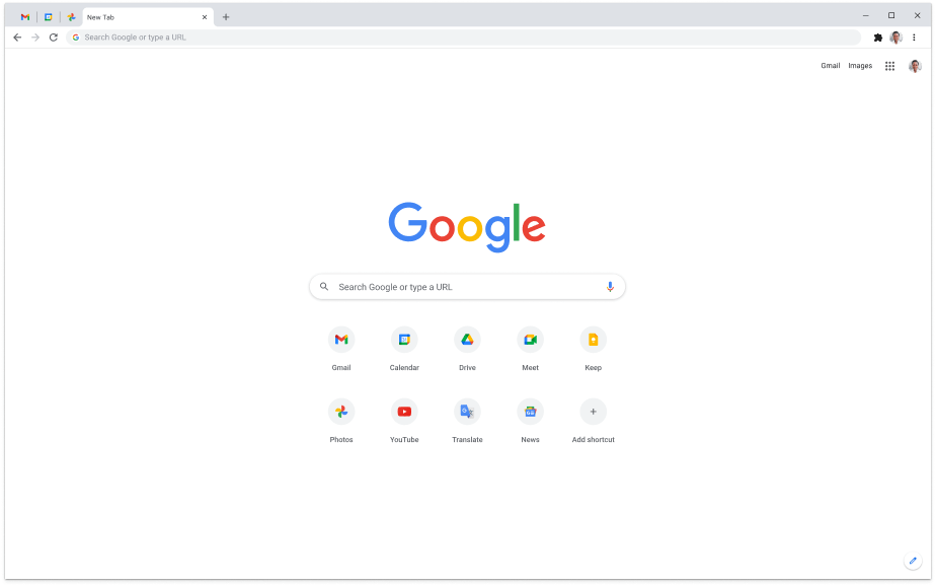
A snapshot of the Google Chrome browser (Source)
Common features of browser software
Each browser has a unique mix of features, but there are some common features in all browser solutions.
Address bar | A graphical user interface (GUI) widget that displays the current web address. |
Search engine | The system that conducts web searches across the internet. |
Bookmark management | Save a website as a shortcut for quicker navigation later. |
Privacy options | Allow users to adjust their browser’s privacy settings to control how your information is used. |
Private browsing | A section of a browser that allows you to conduct private internet sessions without saving historical searches. |
Tab management | Organize, manage, and prioritize multiple webpages. |
What type of buyer are you?
Browsers may look and act a bit differently used at home versus at work, but for the most part, all web browsers functionally work in the same way. Differences arise if you adjust certain settings based on your requirements, whether for business or personal reasons.
Within the business realm, there a few different users that might have more specific needs from their browsers:
Marketers: These users are constantly using browsers to accomplish their ever-evolving digital work. Much of what they work on involves the internet, such as managing social media accounts, client communication, and staying on top of the latest news and trends. Additionally, launching marketing campaigns that are relevant to the client usually require the internet. These users usually opt for browsers which let them quickly load web pages, no matter how image-heavy the content.
Researchers: These users generally turn to their web browsers to conduct research for their assignments, to set topics, or view resources that are stored in their server. Researchers need to be able to do thorough research, such as digging through journals, encyclopedias, archived newspapers, and other papers, to complete their tasks. The web browser has made all this possible with just a click of a button. Researching for a specific topic using a web browser unlocks an unlimited amount of information to provide a smooth researching experience.
Benefits of browser software
Here are the key benefits of a web browser for your business:
Compatibility across platforms: Web browsers are compatible across a variety of platforms or operating systems installed on your hardware. There are many web browsers available in the market for you to choose from that are able to be used on any platform that you are using at the time.
Easily manageable: The web-based systems are able to be easily installed on the end user workstation. At their most deployable, the user just needs internet access and a website address to download the browser. Maintenance is easy to handle and updating the system much more simple as this is usually accomplished on the end user’s device.
Speed: Browsers are made to work on modern PCs and laptops that leverage their speed to perform better. Because of advanced technology, these browsers are able to quickly load web pages and possess better memory and storage management capability.
Key considerations when downloading browsers
Consider your device: Usually computing and mobile devices come with built-in browsers when a particular browser is optimized for certain devices. However, there are a few device-specific browsers which cannot be utilized on any other device, i.e., using the Apple-owned Safari browser on a Windows machine or an Android device. Be sure to consider which device you’re using before deciding on a browser.
Review version of your device’s operating system: Though a lot of browsers stop functioning on outdated operating systems, you'll need to know your device's operating system version to identify whether or not your device is eligible for a new browser.
Note: The applications mentioned in this article are examples to show a feature in context and are not intended as endorsements or recommendations. They have been obtained from sources believed to be reliable at the time of publication.