
Best OCR Software of 2026
Updated October 14, 2025 at 2:16 AM

Written by Priyanka Aggarwal
Senior Market Research Specialist

Edited by Rina Rai
Senior Editor
- Popular Comparisons
- Buyers Guide
Compare Products
Showing 1 - 25 of 162 products
Compare Products
Sort by
Reviews: Sorts listings by the number of user reviews we have published, greatest to least.
Average Rating: Sorts listings by overall star rating based on user reviews, highest to lowest.
Alphabetically (A-Z): Sorts listings by product name from A to Z.

ECIT Digital document processing platform uses AI and machine learning technologies to automate the processing of any document t...Read more about ECIT Digital

Adobe Acrobat helps teams create, edit, sign, and share documents securely trusted worldwide for reliable PDF workflows. Now wit...Read more about Adobe Acrobat
Adobe Acrobat's Best Rated Features
See All
Adobe Acrobat's Worst Rated Features
See All

Nitro Pro is a cloud-based PDF solution that helps businesses create, edit, share and sign essential documents from any device. ...Read more about Nitro PDF
Nitro PDF's Best Rated Features
See All
Nitro PDF's Worst Rated Features
See All

iLovePDF is an online document management platform designed for managing and editing PDF documents. It provides tools for tasks ...Read more about iLovePDF
iLovePDF's Best Rated Features
See All
iLovePDF's Worst Rated Features
See All

# Veryfi: Transforming Documents into Data in Seconds Veryfi delivers an AI-powered platform that instantly converts documents ...Read more about Veryfi
Veryfi's Best Rated Features
See All
Veryfi's Worst Rated Features
See All

Docparser is a cloud-based document data extraction solution that helps businesses of all sizes retrieve data from PDFs, Word do...Read more about Docparser
Docparser's Best Rated Features
See All
Docparser's Worst Rated Features
See All

Nanonets is an AI-driven solution that automates document processing and data extraction workflows. Leveraging advanced Optica...Read more about Nanonets
Nanonets's Best Rated Features
See All
Nanonets's Worst Rated Features
See All

Datamolino is a cloud-based data entry and invoice processing solution. It caters to small businesses and accounting firms. Data...Read more about Datamolino
Datamolino's Best Rated Features
See All
Datamolino's Worst Rated Features
See All

iScanner is much more than just a scanner. It combines a document scanner with AI filters to remove any noise, fingers, or skews...Read more about iScanner
iScanner's Best Rated Features
See All
iScanner's Worst Rated Features
See All

ABBYY FineReader PDF allows users to convert, edit, and share PDF documents. It is suitable for individuals and businesses. This...Read more about ABBYY FineReader PDF
ABBYY FineReader PDF's Best Rated Features
See All
ABBYY FineReader PDF's Worst Rated Features
See All

DataSnipper is an Excel-native intelligent automation platform for audit and finance teams. In the agentic era, DataSnipper intr...Read more about DataSnipper
DataSnipper's Best Rated Features
See All
DataSnipper's Worst Rated Features
See All

CamScanner is an optical character recognition (OCR) solution that helps businesses scan, edit, and share PDF files, images, tex...Read more about CamScanner
CamScanner's Best Rated Features
See All
CamScanner's Worst Rated Features
See All

Klippa DocHorizon is a cloud-based Intelligent Document Processing solution. This advanced technology uses Optical Character Rec...Read more about Klippa DocHorizon
Klippa DocHorizon's Best Rated Features
See All
Klippa DocHorizon's Worst Rated Features
See All

Parsedoc is an automated document reading and processing solution powered by Exponentia, that reduces the workload caused by man...Read more about PARSEDOC
PARSEDOC's Best Rated Features
See All
PARSEDOC's Worst Rated Features
See All

AIDA: Revolutionize Your Document Management with AI-Powered Data Extraction and Automation AIDA is a groundbreaking intelligen...Read more about AIDA
AIDA's Best Rated Features
See All
AIDA's Worst Rated Features
See All

Hypatos is a document processing solution that helps businesses leverage artificial intelligence (AI) technology and machine lea...Read more about Hypatos

Smallpdf is a document management and editing tool for desktop and mobile devices. It includes PDF tools for converting, compres...Read more about Smallpdf
Smallpdf's Best Rated Features
See All
Smallpdf's Worst Rated Features
See All

ApprovalMax is an award-winning B2B software platform used by businesses around the world to build robust financial controls. It...Read more about ApprovalMax
ApprovalMax's Best Rated Features
See All
ApprovalMax's Worst Rated Features
See All

BankStmtConverter uses artificial intelligence to enable bank statement conversion and financial data management. The solution h...Read more about BankStmtConverter

PDNob PDF Editor is a software that assists businesses with the management and editing of PDF documents. It is designed for use ...Read more about PDNob PDF Editor
PDNob PDF Editor's Best Rated Features
See All
PDNob PDF Editor's Worst Rated Features
See All

Parashift Intelligent Content AI helps Enterprises to minimize the time spent processing and understanding documents across all ...Read more about Parashift

docAnalyzer.ai is designed for professionals and teams who regularly grapple with large volumes of documents and need a more eff...Read more about docAnalyzer.ai

MyQ X is a print management solution compatible with most modern multifunction printers and designed for on-premise or private c...Read more about MyQ X
MyQ X's Best Rated Features
See All
MyQ X's Worst Rated Features
See All

Sales Order Automation: Alleviate the order processing queue and errors to deliver more perfect orders on time and in full. Li...Read more about Conexiom
Conexiom's Best Rated Features
See All
Conexiom's Worst Rated Features
See All

At Mindee, we help software product teams build lightning-fast, accurate, and robust document processing automation features in ...Read more about Mindee
Mindee's Best Rated Features
See All
Mindee's Worst Rated Features
See All
Popular Comparisons


Buyers Guide
This detailed guide will help you find and buy the right ocr software for you and your business.
Last Updated on October 14, 2025Imagine that you want to pull some text or data from a graphic or a printed contract—what are your options? Spend time retyping the entire thing and then correcting mistakes? Or simply use a tool that can convert the document into a digital format in several minutes? If you want a tool, then you've landed in the right place.
Optical character recognition software, or OCR software, helps you convert different types of documents such as scanned paper-based documents, PDF files, or images into editable and searchable text.The file can be saved in a new format such as DOC, RTF, XLS, PDF, HTML, TXT, etc. OCR software also allows you to export data directly to office applications such as Microsoft Word, Excel, or Adobe Acrobat.
The entire process of text extraction and data conversion from the original paper document, image, or PDF takes very little time compared to doing it manually, and the final document looks just like the original.
In this buyer's guide, we’ll explain what OCR software is, its common features, its benefits, considerations to take into account when selecting a tool, and the latest trends that software buyers should not miss.
Here's what we'll cover:
What is OCR software?
OCR (optical character recognition) software is designed to help businesses convert different types of document formats, such as scanned paper documents, PDF files, or images, into editable and searchable electronic data files.
OCR solutions make it possible to recognize text in these documents and images by scanning them, processing content in the documents, and converting them into editable file formats like plain text, or Word or Excel documents. Documents processed with these platforms typically include client forms, invoices, and staff paperwork.
Various teams can use OCR solutions in their day-to-day operations such as accounting, human resources, and data entry teams to obtain important information from mass quantities of paper and digital files.
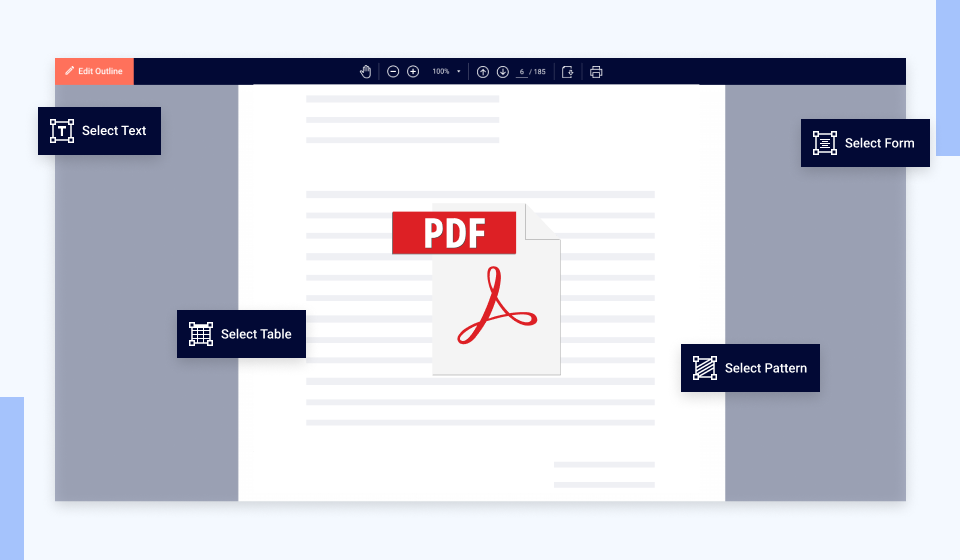
PDF conversion in OCR Gateway Software (Source)
Common features of OCR software
Below are some common features of OCR software:
Text extraction | Process various documents and image types and extract text from images (JPG, BMP, TIFF, GIF) into editable files. |
Document conversion | Convert documents and images into editable file formats such as plain text, Word, or Excel. |
Data validation | Validate extracted data after the conversion. |
PDF conversion | Convert text and images from your scanned PDF document into editable file formats. |
Data import/export | Import and export files to/from your existing computer system. |
Multiple language support | Support, recognize, and process files in multiple languages with a single OCR tool. |
Document archiving | Electronically archive converted digital documents that can be easily accessed for future use. |
Mobile document capture | Capture text from documents and images using a mobile device and convert pictures to documents or different formats. |
What type of buyer are you?
Before evaluating OCR software, it’s helpful to determine your business size and requirements for the tool:
Small and midsize businesses (SMBs—up to 500 employees): Small and midsize businesses with comparatively smaller teams and fewer clients will have to handle a limited amount of paper-based documents. These could include small retail shops or clinics. Your small or midsize business could opt for a free OCR tool or a basic version that’s reasonably priced and is good enough to process a small number of files.
Large enterprises (over 500 employees): Large enterprises that operate globally and have large teams and client bases will need to process a large number of documents. These businesses could be large banking and insurance businesses. Look for an enterprise OCR solution that provides functionality for multiple formats and language support, handwriting detection, role-based permissions to access the documents, and simultaneous processing of multiple document batches.
Benefits of OCR software
Here are the key benefits of OCR software:
High accuracy: Manual data entry and data logging pose many challenges, and inaccuracy is just one of them. OCR software can help you capture, scan, and process the exact text from an original document, reducing the chances of human errors or inaccuracies.
Reduced costs: OCR solutions can help businesses that carry out tasks like data/text extraction cut down costs. This is mostly helpful for departments such as HR and finance that deal with a large number of paper-based documents such as invoices and receipts. With OCR software, all the text from paper-based documents is converted into digital formats which helps reduce printing, shipping, and copying costs. In addition, OCR software enables businesses to store files in digital format, thus reducing the need for physical space to store paper documents.
Enhanced productivity: Manual data entry from non-editable documents, such as paper-based forms, takes a lot of time, energy, and effort. OCR solutions offer features such as text recognition, data extraction, and document conversion to automatically convert non-editable documents into editable file formats such as Word, Excel, or plain text. That means your team members don't need to manually enter the data into the systems, which saves time and leads to better productivity.
Improved data security: Paper-based forms can be easily misplaced, stolen, or destroyed by fire or moisture. With OCR software deployed, your files are scanned, analyzed, and stored in a digital format that cannot be destroyed. Further, all records are stored in a centralized database that can be accessed only by authorized users. OCR software also offers user authentication and data encryption capabilities to prevent mishandling or unauthorized access.
Key considerations when selecting OCR software
File formats: OCR is all about converting documents and images into different file formats. Make sure you look for an OCR solution that supports the different file formats your organization works with. Whether it’s TIFF, PNG, PDF, JPG, JPEG, or any combination of those, make sure the OCR software you’re planning to purchase supports all of them.
Features and cost: The overall cost of OCR software tools varies based on the features it offers. Make sure to identify your organization’s specific needs and which software features can help meet them. If you need help with processing just a small number of files, go for a free OCR tool or a basic software version that’s reasonably priced. But if you want premium features such as multiple formats and language support, handwriting detection, and simultaneous processing of multiple document batches, you'll have to opt for an enterprise solution that will be more expensive.
Accuracy: OCR software vendors may promise you between 97% to 99% accuracy, but these rates are mostly based on character errors, not word errors. Consider text and scanning specifications before you make your purchase decision. For the text part, ask about the availability of special fonts (typewriter) in the software which includes the capability to recognize handwritten documents with any degree of accuracy. As for the scanning part, getting a quality image is the first step in having the best and most accurate OCR experience, so don’t forget to ask about things such as resolution, brightness, straightness, and discoloration before purchasing the OCR software.
Market trends to understand
Artificial intelligence (AI) in OCR technology: AI-enabled OCR tools can not only scan text and convert it into different file formats but also make sense and meaning out of it. These OCR systems aren’t restricted to a fixed number of character sets and can accumulate knowledge and learn to recognize any number of characters. Therefore, combining AI and OCR is proving to be an effective strategy for both data capture and management. Many vendors have already implemented AI into their OCR software offerings, and more are expected to follow.
Note: The application selected in this guide is an example to show a feature in context and is not intended as an endorsement or recommendation. It has been taken from sources believed to be reliable at the time of publication.