


Best Church Accounting software of 2026

- Popular Comparisons
- FrontRunners
- Buyers Guide
Compare Products
Showing 1 - 25 of 50 products
Compare Products
Sort by
Reviews: Sorts listings by the number of user reviews we have published, greatest to least.
Average Rating: Sorts listings by overall star rating based on user reviews, highest to lowest.
Alphabetically (A-Z): Sorts listings by product name from A to Z.

Sage Intacct operates within the Sage Business Cloud portfolio as a comprehensive cloud-based financial management software, exp...Read more about Sage Intacct


Sage Intacct's Best Rated Features
See All
Sage Intacct's Worst Rated Features
See All

Aplos is a dedicated accounting solution engineered specifically for the unique financial demands of nonprofit organizations. We...Read more about Aplos


Aplos's Best Rated Features
See All
Aplos's Worst Rated Features
See All

Blackbaud’s cloud fund accounting software Blackbaud Financial Edge NXT provides transparency across teams, security, and compli...Read more about Blackbaud Financial Edge NXT

Blackbaud Financial Edge NXT's Best Rated Features
See All
Blackbaud Financial Edge NXT's Worst Rated Features
See All

MoneyMinder is a comprehensive nonprofit financial management software designed to simplify and streamline financial operations ...Read more about MoneyMinder

MoneyMinder's Best Rated Features
See All
MoneyMinder's Worst Rated Features
See All

Givelify is a cloud-based solution for nonprofits, churches and religious organizations. Primary features include donation manag...Read more about Givelify


Manager is an accounting solution that supports multiple languages and currencies and provides users an offline mode that helps ...Read more about Manager
Manager's Best Rated Features
See All
Manager's Worst Rated Features
See All

ZarMoney is a cloud-based comprehensive accounting solution for businesses of all sizes. It offers various features such as inve...Read more about ZarMoney
ZarMoney's Best Rated Features
See All
ZarMoney's Worst Rated Features
See All

PEX is an expense management solution that helps organizations across a range of industries control staff spending, reconcile bo...Read more about PEX


PEX's Best Rated Features
See All
PEX's Worst Rated Features
See All

ZipBooks is a cloud-based solution designed to streamline accounting, invoicing and financial management processes for small bus...Read more about ZipBooks
ZipBooks's Best Rated Features
See All
ZipBooks's Worst Rated Features
See All

QuickBooks Online Advanced is a cloud-based accounting solution that helps small to large enterprises manage expenses, projects,...Read more about QuickBooks Online Advanced

QuickBooks Online Advanced's Best Rated Features
See All
QuickBooks Online Advanced's Worst Rated Features
See All

iplicit is a cloud-based accounting software that helps businesses manage online transactions, automate revenue processes, and m...Read more about iplicit

iplicit's Best Rated Features
See All
iplicit's Worst Rated Features
See All

AccountsIQ is a cloud accounting software that simplifies the capture, process, and reporting of financial data. It offers intui...Read more about AccountsIQ


AccountsIQ's Best Rated Features
See All
AccountsIQ's Worst Rated Features
See All

Xero is a cloud-based accounting platform designed to assist small and midsize businesses with financial operations management, ...Read more about Xero
Xero's Best Rated Features
See All
Xero's Worst Rated Features
See All

Denali FUND is an on-premise and cloud-based accounting solution designed for nonprofits with multiple funds. The product is sui...Read more about Denali Fund
Denali Fund's Best Rated Features
See All
Denali Fund's Worst Rated Features
See All

QuickBooks Online is a cloud-based accounting software designed to help businesses manage their finances. It offers a range of t...Read more about QuickBooks Online
QuickBooks Online's Best Rated Features
See All
QuickBooks Online's Worst Rated Features
See All

Online accounting software that provides features including invoicing, billing, payment tracking, payroll management, finance ma...Read more about Wave

Wave's Best Rated Features
See All
Wave's Worst Rated Features
See All

MYOB Business accounting software is designed to help businesses of any size across Australia and New Zealand take care of GST, ...Read more about MYOB Business

MYOB Business's Best Rated Features
See All
MYOB Business's Worst Rated Features
See All

Our goal is to EQUIP churches to build the body of Christ. Churches choose ChurchTrac for 4 reasons: Most Affordable, Most Feat...Read more about ChurchTrac

ChurchTrac's Best Rated Features
See All
ChurchTrac's Worst Rated Features
See All

Tithe.ly is a cloud-based funds collection application and online giving solution designed for churches of all sizes. It offers ...Read more about Tithe.ly


Tithe.ly's Best Rated Features
See All
Tithe.ly's Worst Rated Features
See All

ChMeetings is designed to help churches thrive by providing the tools they need to manage, engage, and grow their communities. ...Read more about Chmeetings
Chmeetings's Best Rated Features
See All
Chmeetings's Worst Rated Features
See All

Txt2Give is a cloud-based donation management solution designed for small and midsize churches and nonprofits. It offers recurri...Read more about Txt2Give
Txt2Give's Best Rated Features
See All
Txt2Give's Worst Rated Features
See All

Continue to Give is a cloud-based fundraising solution for non-profit organizations, churches and missionaries that helps them t...Read more about Continue to Give


Continue to Give's Best Rated Features
See All
Continue to Give's Worst Rated Features
See All

FlockBase is a church management solution that helps businesses streamline processes related to membership management, accountin...Read more about FlockBase


ExpensePlus excels in handling donations and Gift Aid management, a critical aspect for charities and churches. The software all...Read more about ExpensePlus

ExpensePlus's Best Rated Features
See All
ExpensePlus's Worst Rated Features
See All

With online dashboards, scorecards, statistics, and financial reports including departmental account views, dimensional view sum...Read more about Martus


Martus's Best Rated Features
See All
Martus's Worst Rated Features
See All
Popular Comparisons



Your Guide to Top Church Accounting Software, March 2023
Software Advice uses reviews from real software users to highlight the top-rated Church Accounting products in North America.
Learn how products are chosenExplore FrontRunners


“Usability” includes user ratings for Functionality and Ease of Use.
“Customer Satisfaction” includes user ratings for Customer Support, Likelihood to Recommend and Value for Money.
Reviews analysis period: The reviews analysis period spans two years and ends the 15th of the month prior to publication.

Buyers Guide
This detailed guide will help you find and buy the right church accounting software for you and your business.
Last Updated on January 27, 2025More and more accounting systems that are designed specifically for churches are popping up all the time. And, while variety and competition are good for consumers, the more products there are to choose from, the more overwhelming it can be to choose the right one.
It's important to know going in to your search that not all church accounting systems are created equal. Some are designed to provide all of the core accounting features, while others are customized for specific business needs, with varying levels of functionality. In addition to functionality, you must also consider what deployment method and integrations are needed to make implementation with your current setup the most cost-effective.
Whether you're researching church accounting software for the first time, or just want to be up-to-date on the latest tech, this Buyer's Guide will detail everything you need to know before you make a final purchase decision.
Here's what we'll cover:
What is church accounting software?
What are the common features of church accounting software?
What are the benefits of church accounting software?
What are the market trends of church accounting software?
What are some key considerations of church accounting software?
What is church accounting software?
Church accounting software helps churches and other religious institutions manage, automate and organize their day-to-day financial operations. It also helps these organizations ensure they maintain clear and accurate financial records and that staff members are paid on time. Churches have unique financial requirements and responsibilities compared to other businesses, which accounts for the emergence of this specialized software market.
Church accounting software typically offers functionality for managing accounts payable, payroll, bookkeeping and general ledger, as well functions more specific to churches, such as membership management and accepting and tracking online donations. These systems will also let you generate financial reports that are viewable on desktop, tablet or phone screens.
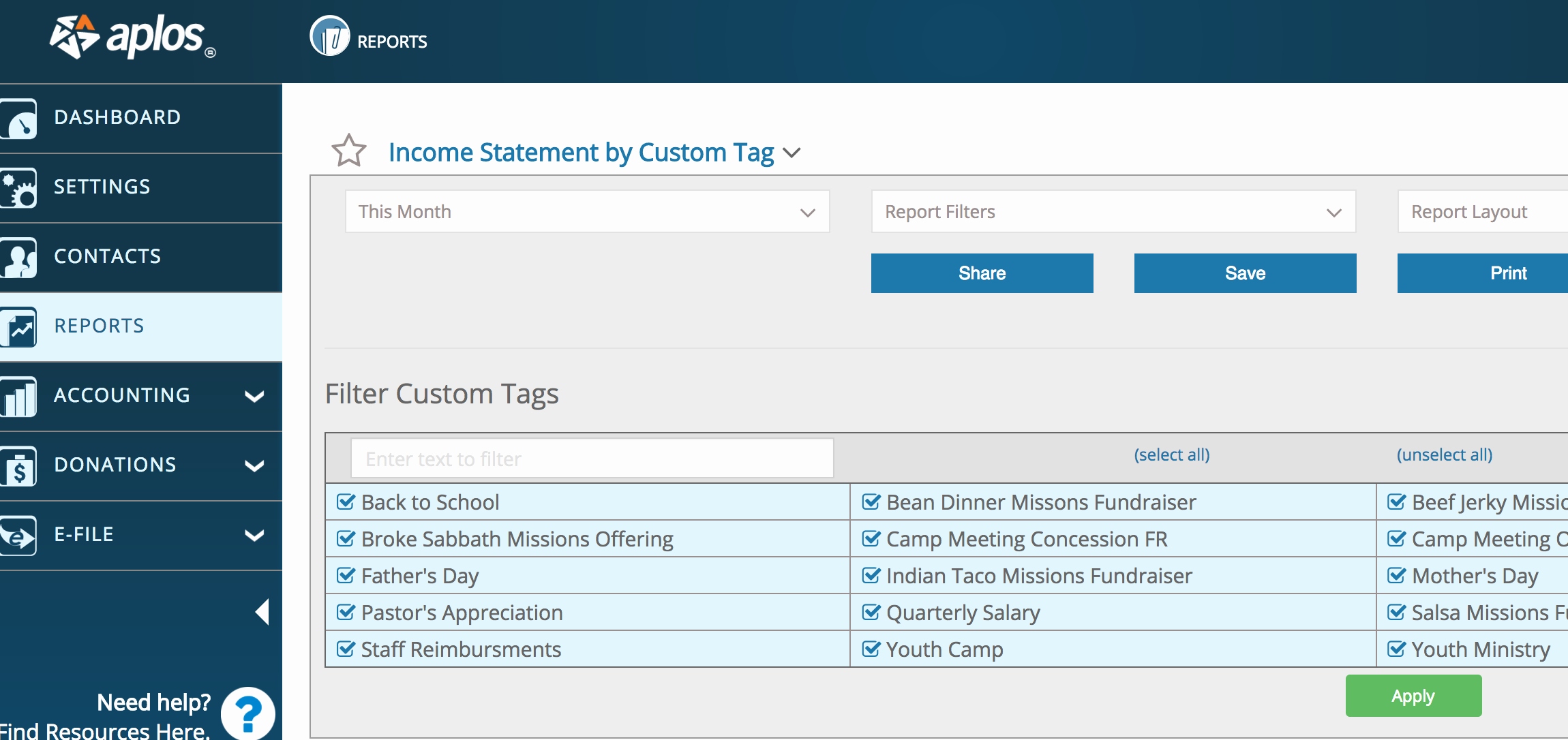
Reports tab in Aplos church accounting software
What are the common features of church accounting software?
Vendors offer a variety of functional breadth and depth in their church accounting software. Here are some of the most common capabilities:
Accounts payable | Keep track of what bills you owe and make sure you pay them on time. Process your outgoing payments, track invoices, store vendor details and print checks. |
Accounts receivable | Effectively manage incoming payments. Billing codes allow for easier processing of recurring invoices, and payment codes make it possible to credit payments to multiple accounts at once. |
General ledger | Track spending and budgets by department, committee, fund and project and maintain a complete record of all financial transactions. View transactions from specific accounts for a chosen date range to make budgeting and reporting simpler. |
Payroll management | Handle the unique requirements of churches and pastors, including housing allowances and insurance for staff, as well as more universal payroll capabilities, such as direct deposit and vacation day/paid leave tracking. |
Asset management | Centralize asset and inventory management to manage the entire equipment life cycle, from acquisition to depreciation and maintenance. Enables users to store documentation and make insurance claims for all church equipment and property. |
Membership management | Record and maintain updated information on members, visitors and volunteers such as contact numbers, addresses, interests and activities. |
Donation management | Collect donations online by creating customized forms that integrate with your website and member database. Manage all donation records in one place and view donation history at a glance. |
What type of buyer are you?
Before you evaluate church accounting software, you should understand what category you fall into as a buyer, so you'll have a better idea of which features are most important to you. Most churches fall into one of the categories below:
Small church (weekend attendance of 50 or fewer people). These churches are interested in growing their members and staff and therefore looking to deploy church accounting software to reduce manual data entry tasks. They should look for cloud-based software that offers a low cost or free starter plan with the option to upgrade as they scale.
Midsize church (weekend attendance of 51 to 300 people). These churches are most interested in providing value to their existing members as well as adding new members. They usually have basic requirements such as general ledger, accounts payable and accounts receivable, which are met by many affordable systems.
Large church (weekend attendance of 301 to 2,000 people). These churches require more robust solutions that can help them manage their assets and also integrate with existing technology. Therefore, in addition to core accounting features, they'll be interested in features such as asset management, membership management and donation management.
Mega church (weekend attendance of more than 2,000 people). Due to their high membership volume and large number of assets, these churches will be interested in software that offers asset management and membership management features. Also, any new software must integrate smoothly with existing technology, such as payroll software.
What are the benefits of church accounting software?
As we've seen, churches stand to gain several benefits from automating financial management. Here's a summary of the most notable benefits:
Streamlined budgeting. Budgeting can be a very time consuming process. Accounting software simplifies this task by offering a general ledger feature and flexible reporting and filtering options.
Enhanced member and staff satisfaction. You can use software to manage memberships and donations and pay staff, in order to increase satisfaction levels. Online giving and direct deposit add convenience, and salaries and funds are transacted in a safe, secure and timely manner.
Automatic compliance. Most church accounting software offers full conformance to GAAP (Generally Accepted Accounting Principles) as mandated by FASB (Financial Accounting Standards Board).
What are the market trends of church accounting software?
You will likely come across some of the following market trends as you begin your search for church accounting software:
Availability of mobile apps. Church accounting software is also available in the form of mobile apps, with many vendors in the space offering this option. The portability and convenience of mobile devices allows software users to operate on the move. Mobile apps enable church managers to accept donations during events, view various financial reports and manage accounts from any location.
Preference for cloud-based software. Most church accounting software buyers will prefer cloud-based software because of the accessibility and flexibility it offers. Buyers are looking to transfer their financial management applications in the cloud to provide data access to more volunteers and church elders or administrators.
What are some key considerations of church accounting software?
Here are some important factors to think about before you implement accounting software at your church:
System integration. You must consider church accounting software that integrates easily with your existing technology, such as your website or any separate membership management tool that you might already be using. Seamless integration makes it easy to import existing data into the new system.
Cloud or on-premise deployment. As a software buyer you must be clear on your deployment preference in advance and ask vendors which deployment options they offer. Though many buyers in this space will likely prefer cloud-based deployment due to easy accessibility by all stakeholders and lower upfront costs, some buyers may have unique requirements that would favor an on-premise deployment.
Mobile support. A growing number of software buyers prefer having access to their system while working remotely. Check whether the vendor offers a mobile application as well. A mobile application makes it possible for your members, volunteers and staff to access the software from any location.